A writing desk for novelists
Keep every thread of your story in hand
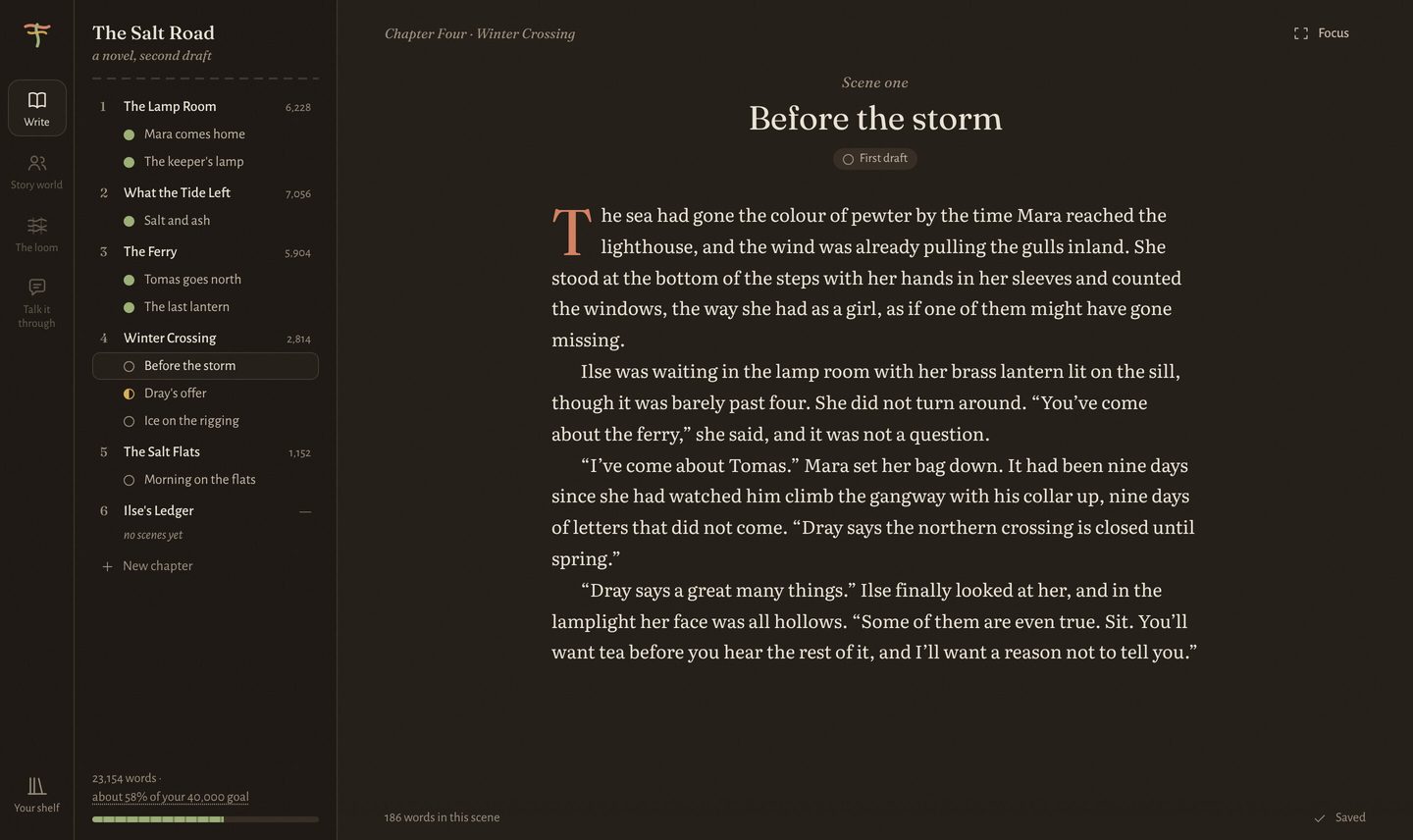
Loom & Quill remembers who knows what, where everyone was on the night of the storm, and which threads you left hanging in Chapter 3. So you can keep your mind on the next page.
For Mac, Windows and Linux. Your story stays on your own computer.
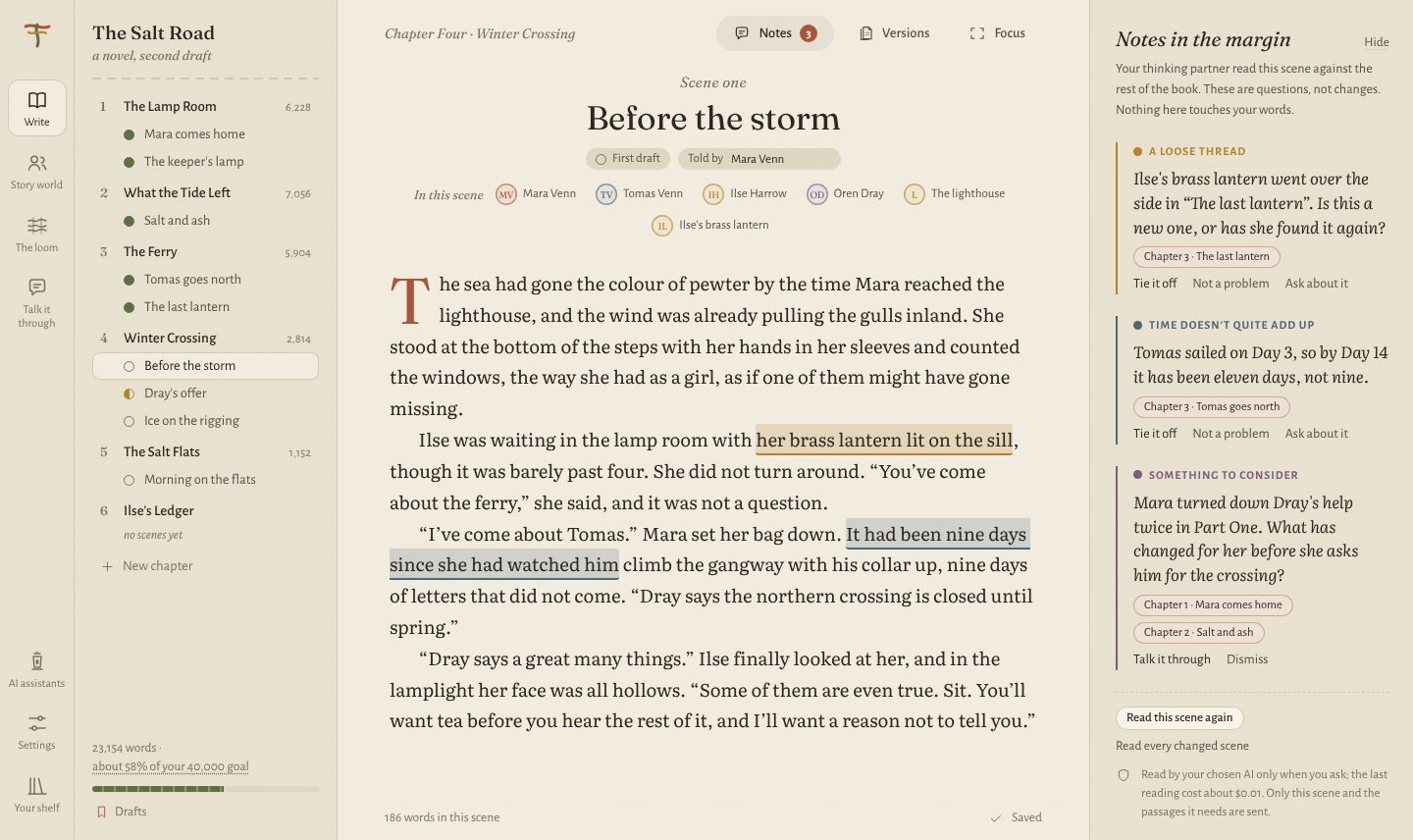
A long novel is a lot to hold in your head
Eye colours drift. A ferry sails on Tuesday in Chapter 4 and Thursday in Chapter 11. Someone mentions a letter that nobody has written yet. Loom & Quill keeps the whole story within reach, quietly, without getting between you and the page.
Everyone, in one place
People, places and things, each with a card that fills in as you write.
Time you can see
The loom shows every thread through the story, and where they meet.
A second pair of eyes
An optional AI partner that reads, notices and asks. It never writes a word.
What's on the desk
The loom
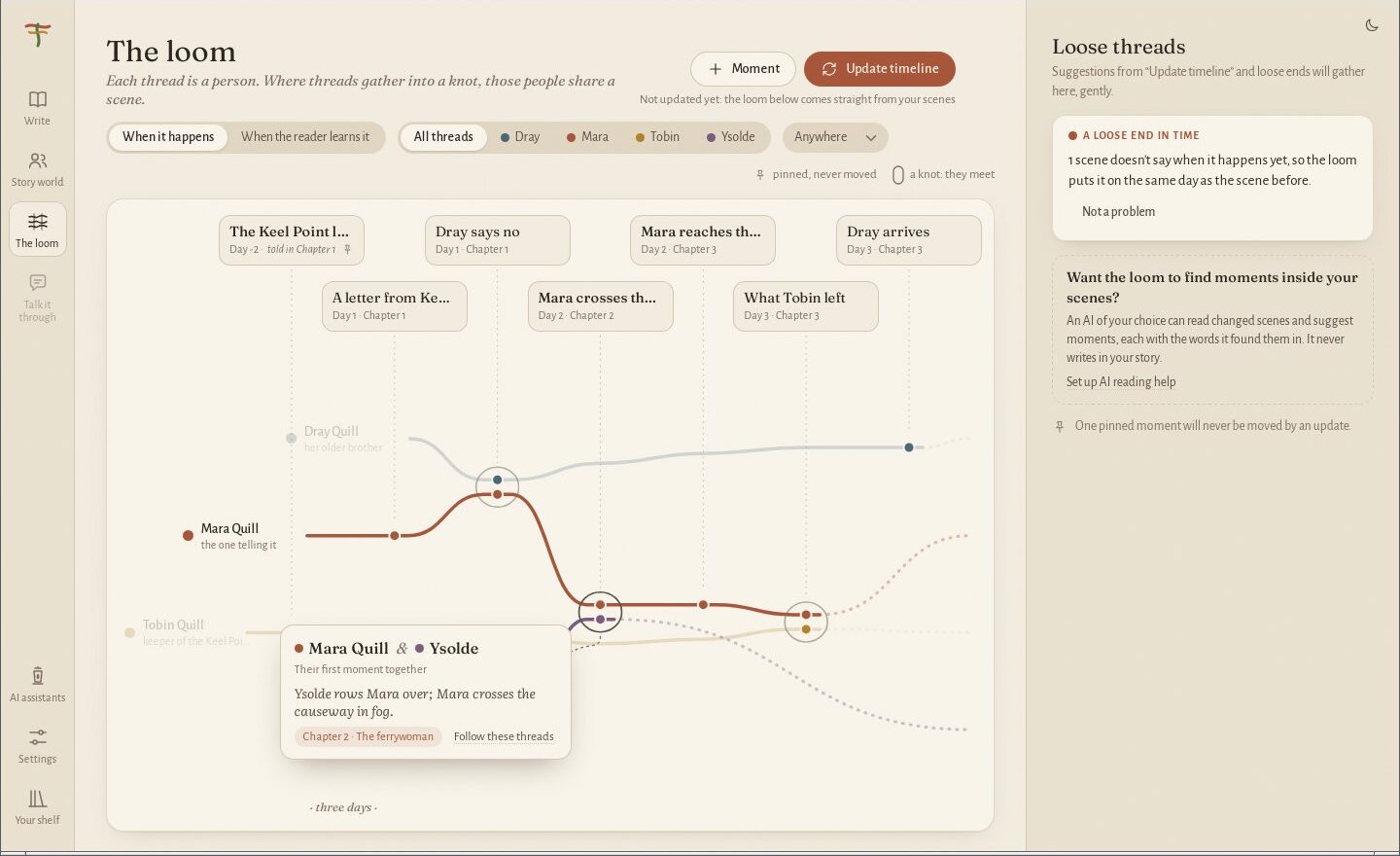
See your story as threads
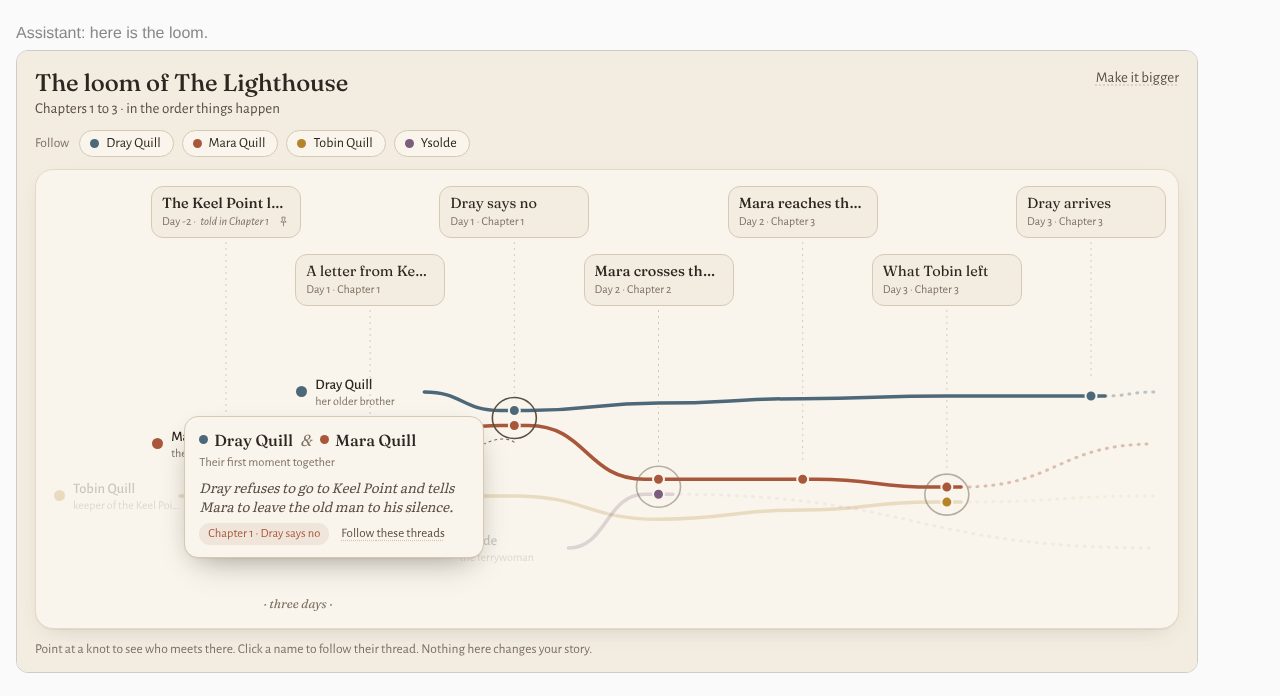
Each person is a coloured thread running through your scenes. Where two people share a scene, their threads gather into a knot. Point at a knot to see who meets, and when.
- Follow one person through the whole book
- Switch between when things happen and the order the reader learns them
- Loose ends show up gently, as threads to tie off
Story world
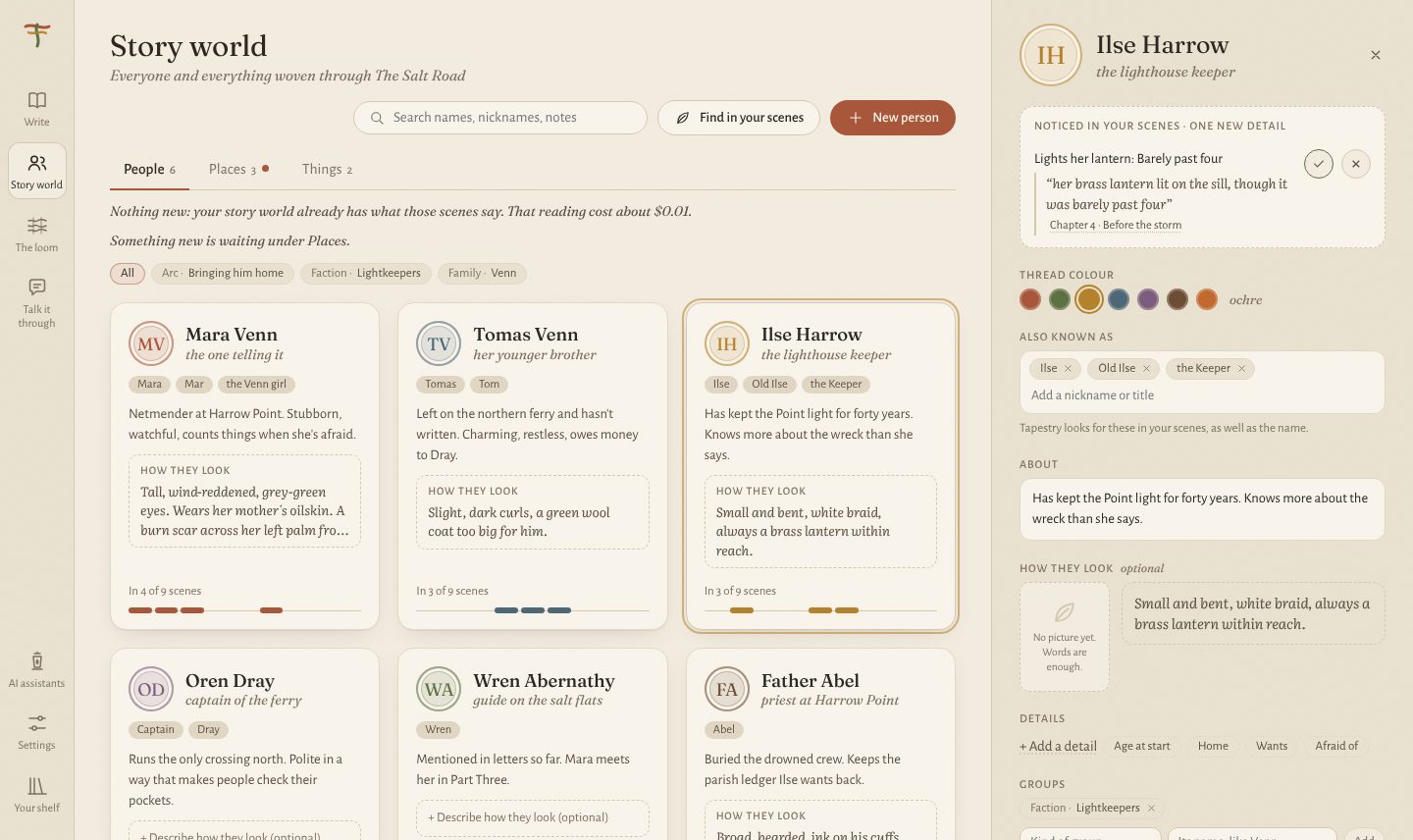
A card for everyone and everything
People, places and things, with nicknames, how they look, what they want and how they're tied to each other. Each card shows its thread through the story, so you can find every scene where the lighthouse keeper appears.
“Lights her lantern: barely past four.” A new detail, noticed in Chapter 4. Add it to her card?
Notes in the margin
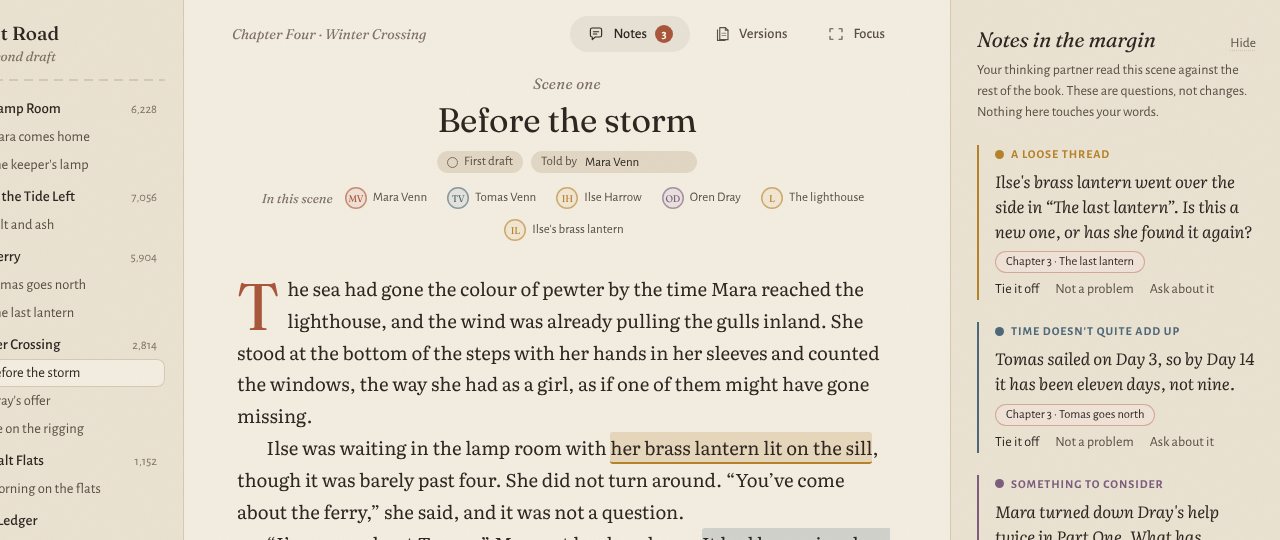
A thinking partner that reads, and never writes
When you ask, the AI reads a scene and leaves pencil notes beside the page, the way a good editor would. A detail that has changed. A day that doesn't add up. A question worth asking.
Every note points back to the passages it came from. Nothing ever touches your words, and there's no button to make it write for you.
Talk it through
Ask about your own story
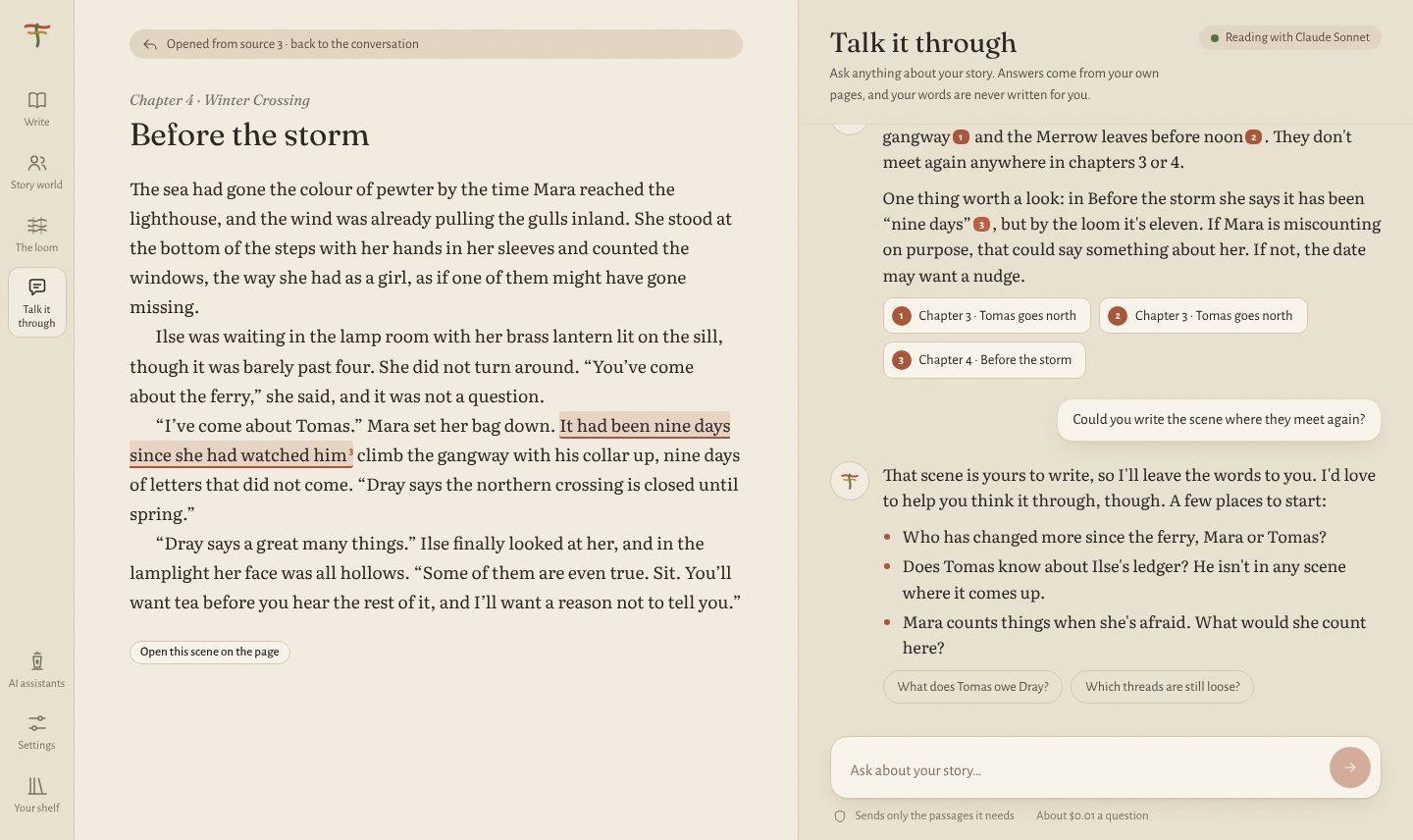
“Who has changed more since the ferry, Mara or Tomas?” “Which threads are still loose?” Answers come from your own pages, with the chapter and scene beside each one.
Ask it to write the scene and it will kindly decline, then help you think it through instead.
Drafts and versions
Every earlier version, kept
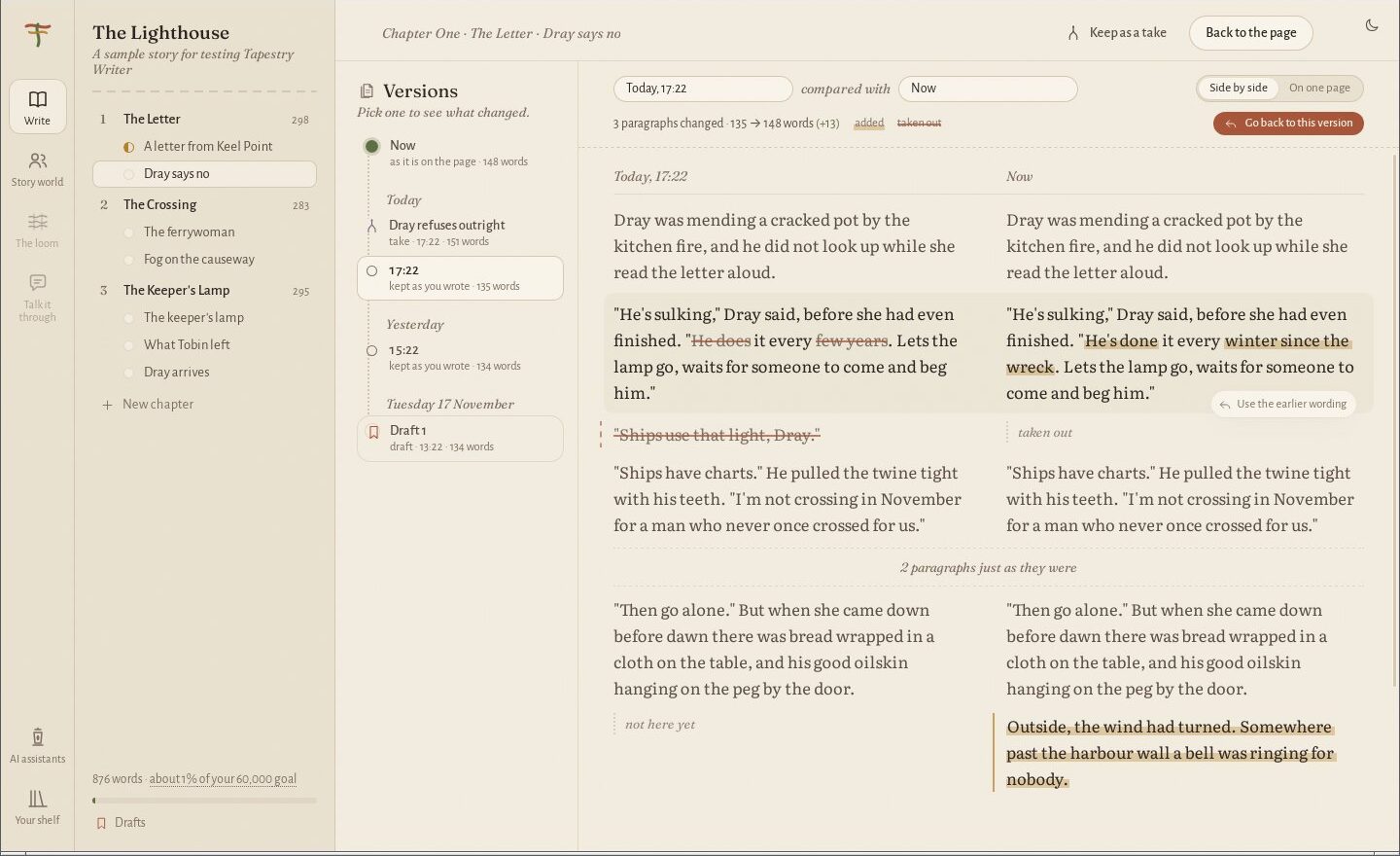
Your story saves itself as you write, and quietly keeps earlier versions of every scene. Lay two side by side to see what changed, and bring back a single paragraph you miss.
Keep a whole draft when you finish a pass, and start the next one knowing the last is safe.
Bring in your manuscript
Start from the book you already have
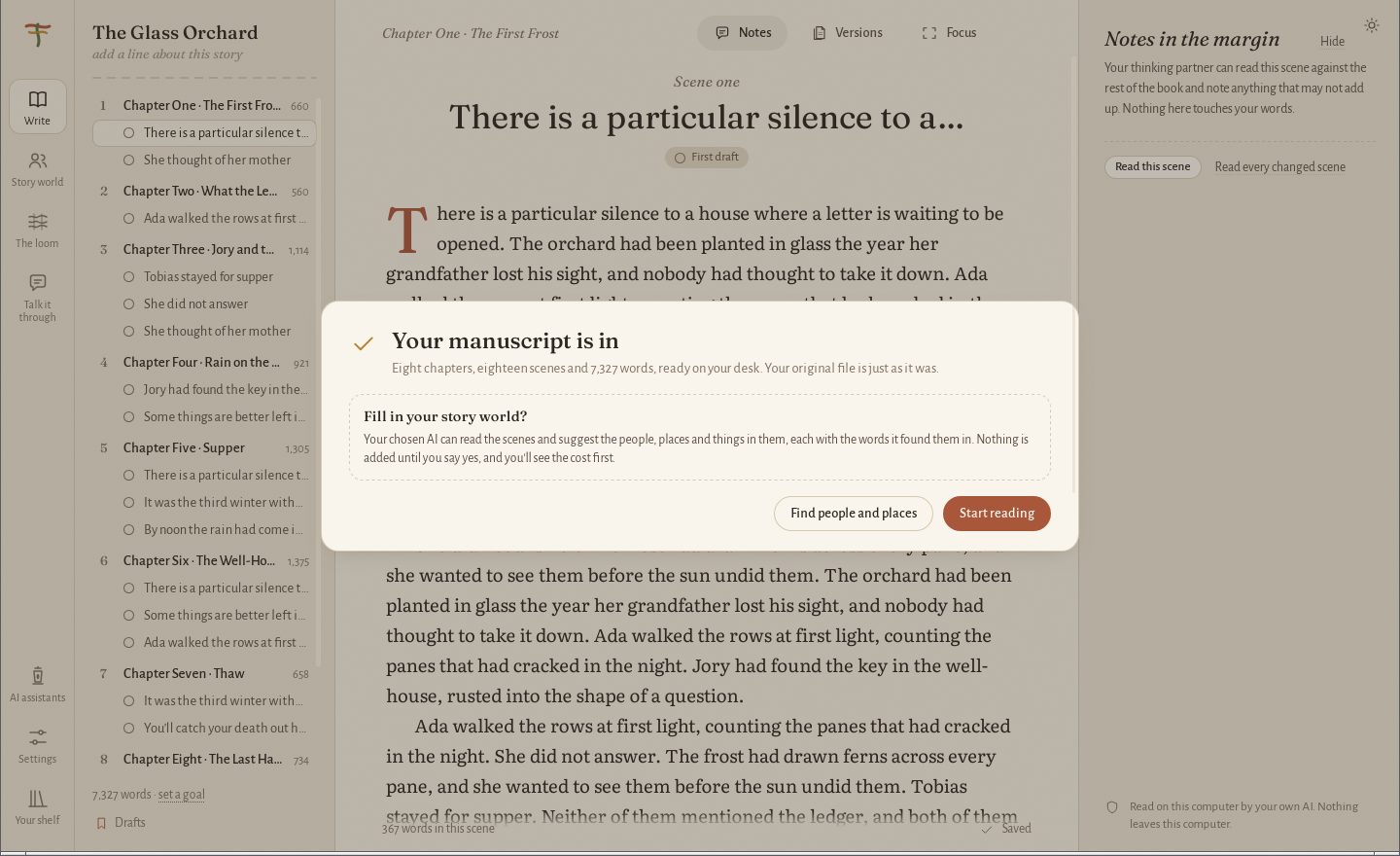
Bring in a Word document or plain text. Loom & Quill finds the chapters and scenes, shows you how it has split them, and lets you adjust before anything is saved. Your original stays exactly as it was.
When you're ready to send it out, take the whole manuscript away as a Word document.
Your own AI
Let Claude and other assistants read along
Already pay for an AI assistant? Connect it, and it can read your story world, your chapters and the loom from right inside your conversations. It can look, but it can't change a thing.
One button connects it. There's nothing to type or set up by hand.
Paper and light
Write by day, or by the hearth
Choose a paper (warm linen, plain, or bold ink for the strongest contrast) and a light (day, evening, or whatever your computer is doing). Focus mode clears away everything but the page.
Our one firm rule
The words are yours. The AI reads, notices and asks. It never writes your book.
Plenty of tools will write a chapter for you. This isn't one of them. Loom & Quill is for writers who want to stay the author: it is a memory for the details, a map of the threads, and a patient reader who asks good questions.
The AI is optional, too. The story world, the loom, versions and everything else work without it.
Your story stays on your desk
Your manuscript is precious, and unfinished. Here is what we promise.
On your own computer
Your story lives on your computer, in ordinary files you can open, copy and back up. There is no account with us, and nothing is kept on our side.
Never locked in
Take your whole manuscript away as a Word document whenever you like. If you ever stop using Loom & Quill, your writing comes with you.
The AI reads only what you ask
Nothing is sent anywhere until you ask for a reading or a question. Then only the passages needed go to the AI you chose, and the cost is shown first.
No keys to copy and paste
Sign in with OpenRouter in your browser, as you would anywhere else. Your sign-in is kept in your computer's own password keeper.
Free while we're in beta
Join the first writers
We're inviting a small group of novelists to try Loom & Quill and tell us honestly what helps and what gets in the way. Leave your name and we'll write when there's a place for you.
Questions writers ask
Does the AI write any of my book?
No, never. It reads what you ask it to, notices things, and asks questions. It can't type into your pages, and there's no button to make it. If you ask it to write a scene, it will kindly hand the pen back.
Do I have to use AI at all?
Not at all. The writing page, story world, the loom, versions and bringing in your manuscript all work without it. The AI is there when you want a second pair of eyes.
What does it cost?
Loom & Quill is free during the beta. If you use the AI partner, you sign in with your own OpenRouter account and pay them directly for what the AI reads, which is usually a cent or two for a scene. The app shows you the cost before anything is read.
What is OpenRouter, and why do I need it?
OpenRouter is a service that lets you use many different AI models with one account. It means you choose which AI reads your story and how much you spend, and we never sit in between. Signing in takes a minute in your browser. You only need it for the AI parts.
Where is my story kept? Can you see it?
On your own computer, in plain files that you own. We have no copy and no way to see it. When you ask the AI something, only the passages it needs go to the AI model you chose.
Can I bring in a book I've already started?
Yes. Bring in a Word document or a plain text file and Loom & Quill splits it into chapters and scenes. You see a preview first, and your original file is never changed.
I already pay for Claude. Can it read my story?
Yes. Connect it from inside Loom & Quill with one button, and Claude can read your chapters, story world and the loom while you talk. It can read, but it can't change anything. Other assistants that can connect to apps on your computer work the same way.
Which computers does it run on?
Mac, Windows and Linux.
Does it work for non-fiction?
Not yet. Loom & Quill is made for novels first. A version for memoir and other non-fiction is on our list for after the beta.

About the name
A novel is woven more than it is built. Every person, place and secret is a thread that runs through the pages, disappears for a while, and comes back to cross another. The loom is where you see those threads together and keep them from tangling. The quill is yours alone: the hand that writes.
So the loom keeps track, and the quill stays in your hand.